An AI notetaker for Zoom, Google Meet and Teams
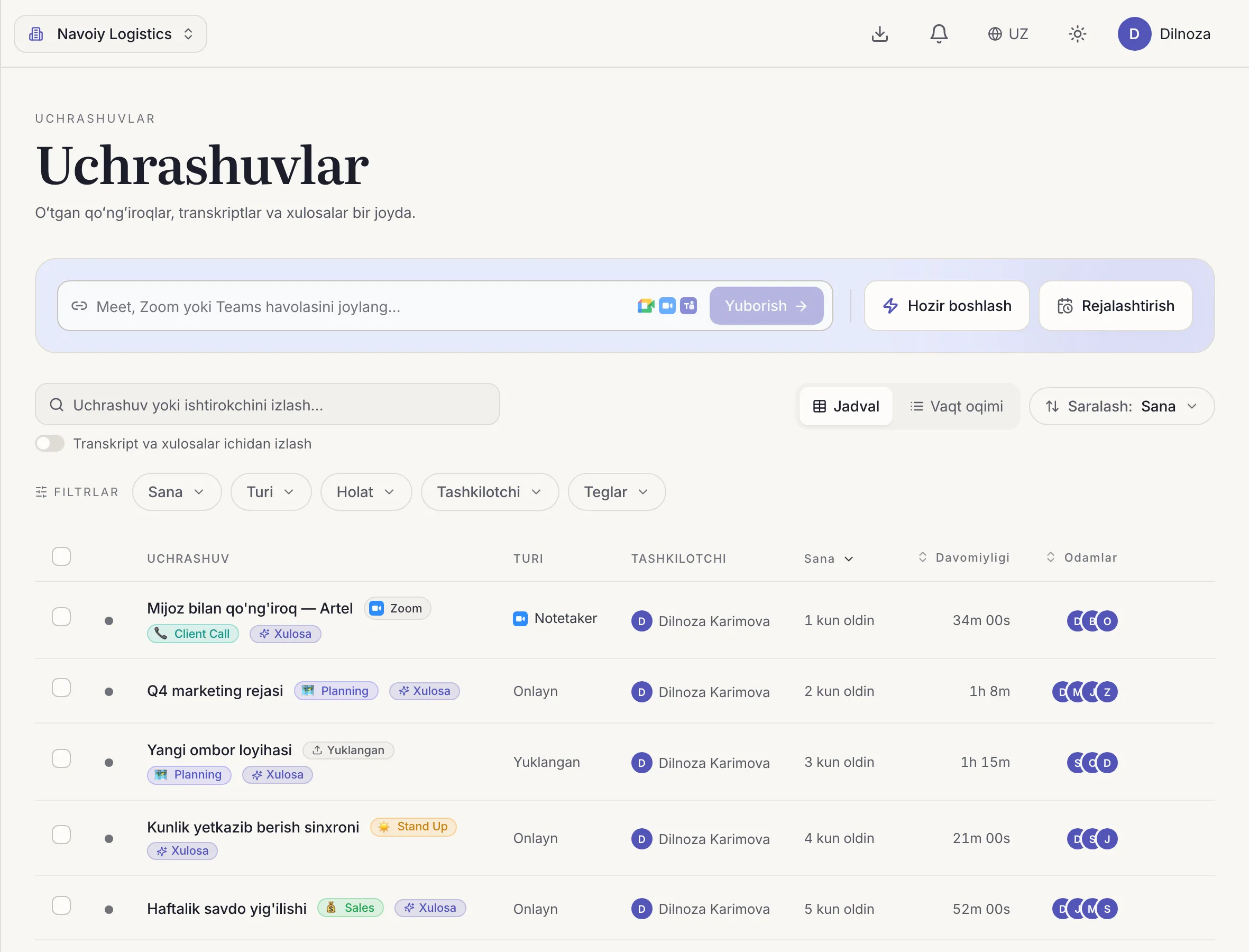
Give Dicta the call link: the bot joins the meeting, records it, then delivers a transcript and AI meeting notes, including for Uzbek-language calls.
The problem
You cannot be on two calls at once
Calls all day, some of them overlapping. Even when you attend, you type notes instead of listening.
And for the meeting you missed, all you get is someone's short message.
How Dicta solves it
How the bot works
- 1
Paste the link
Give Dicta the link of a Zoom, Google Meet or Teams meeting.
- 2
The bot joins
It enters the call and records it, so you do not have to be there.
- 3
Dicta transcribes
A transcript by speaker and a summary are prepared.
- 4
Read the result
Decisions and tasks in one place, and in Telegram if you like.
What you get for this use case
-
Bot for Zoom, Meet and Teams
A bot joins the call in your place and records it.
-
Desktop app
Records meetings automatically on macOS and Windows.
-
AI summary and minutes
Topics, decisions and action items with owners, minutes after the meeting ends.
-
Search and timestamps
Find any word and jump to that exact moment in the recording.
Frequently asked questions
Do I need to be the host to record a Zoom call?
The Dicta bot joins as a participant, so you need access to the meeting to let it in.
Which platforms are supported?
Zoom, Google Meet and Microsoft Teams.
Can I record without a bot?
Yes. The desktop app for macOS and Windows records meetings automatically, with no bot in the call.
What language will the results be in?
Uzbek, Russian, English or Arabic, even when people switch languages.
Record your first meeting today
Start on the free plan. No card needed.