Speech to text with every speaker labelled
Dicta transcribes your meetings in Uzbek, Russian, English and Arabic, so you can search what was said instead of replaying it.
Why teams use it
Four languages
Uzbek, Russian, English and Arabic, including meetings where people switch between them.
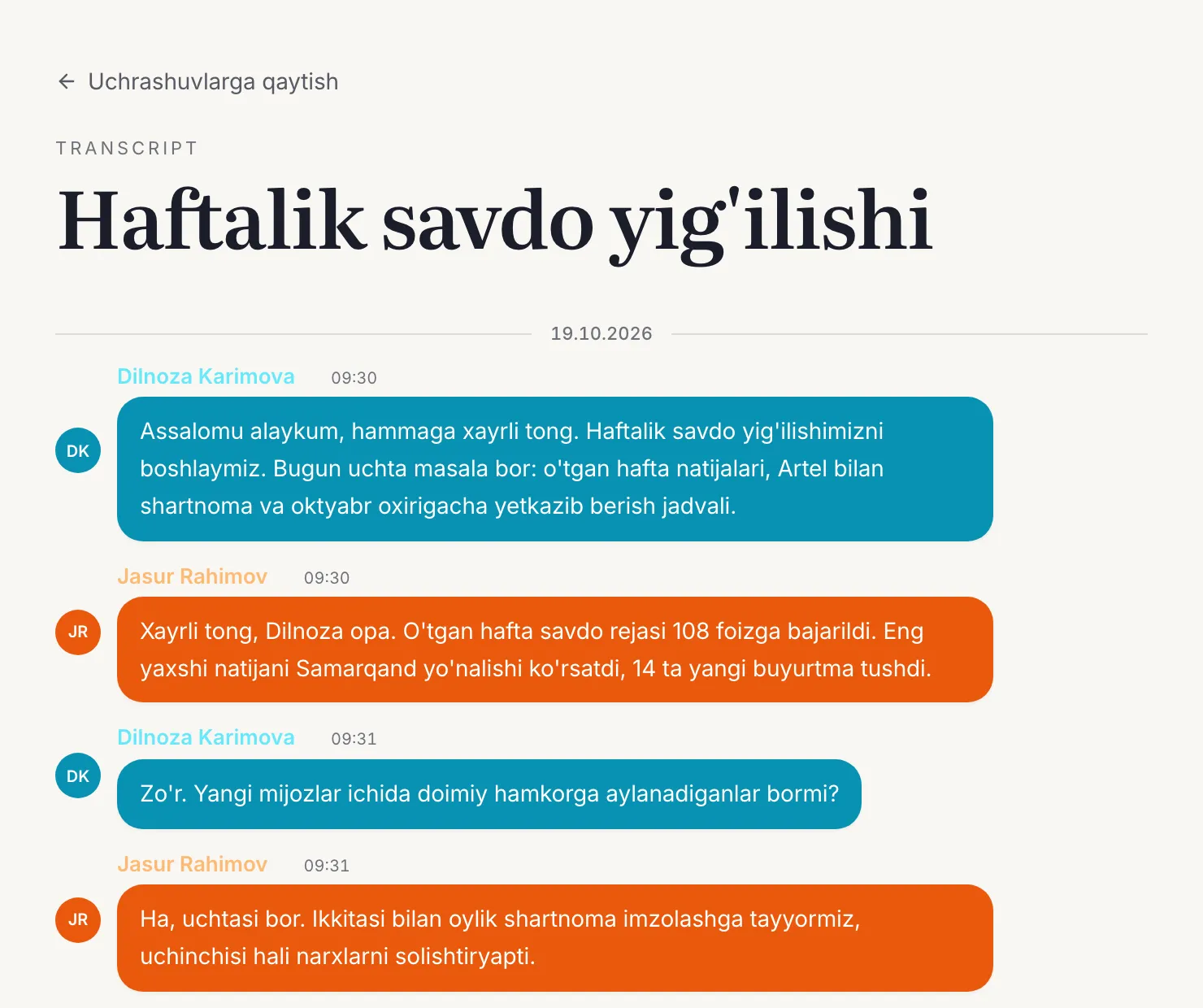
Who said what
The transcript separates speakers, so you can follow the discussion and see who owns each point.
Search and jump
Search the text and open the exact moment of the recording instead of scrubbing through audio.
How it works
- 01
Capture the meeting
Record in Dicta's meeting room, send the bot to Zoom, Meet or Teams, record on your phone, or upload a file.
- 02
Dicta transcribes
The audio is turned into text and split by speaker automatically.
- 03
Read, search, share
Open the transcript next to the recording, search it and copy what you need.
Questions
Which languages can Dicta transcribe?
Uzbek, Russian, English and Arabic.
Does the transcript show who is speaking?
Yes. Dicta separates the speakers in the transcript so you can see who said what.
Can I transcribe a recording I already have?
Yes. Upload an audio or video file and Dicta returns a transcript and an AI summary.
Related features
Try it on your next meeting
Sign up free and get your first transcript and summary.